Built on Android 14
An updated operating system at the heart of your home entertainment setup.
YOUR AUTHORIZED TRIBUTBOX RESELLER
Meet the Tributbox T Max Android streaming box. Explore the 2026 model with your authorized reseller, Tributbox Media, and contact us for special pricing.
Meet the T Max Find your setup
A small box.
A bigger evening.
01 — MEET YOUR NEXT NIGHT IN
The Tributbox T Max brings an Android-based entertainment experience to your television. Connect your screen, choose compatible apps, and settle into your own viewing routine.
Look closer at the details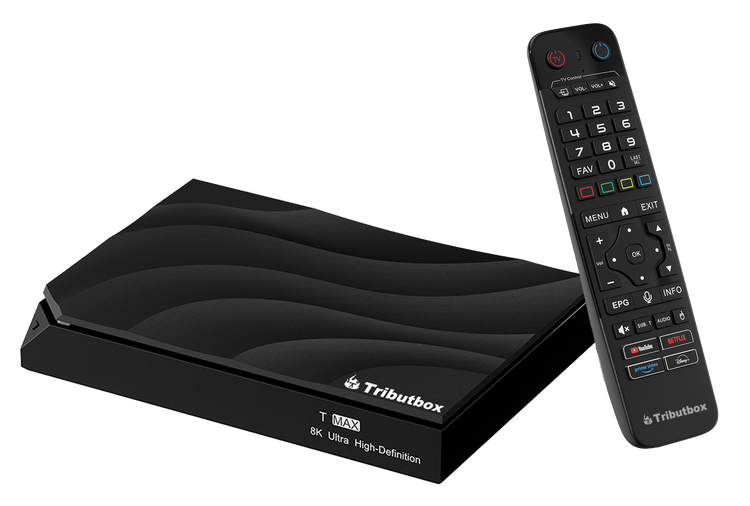
Pair an HDMI-equipped television with your home internet connection.
Android 14 powers the device, with room for compatible apps and their data.
A backlit Bluetooth remote keeps everyday navigation close at hand.
THE LATEST T MAX
The latest T Max pairs Android 14 with a backlit Bluetooth remote and updated firmware.
An updated operating system at the heart of your home entertainment setup.
Backlit buttons help you find the controls when the lights are low, with Bluetooth connectivity.
Software improvements designed to make everyday use smoother and more dependable.
CONFIGURATION OVERVIEW
Device specifications reported by the manufacturer.
View manufacturer configuration overview ↗02 — KEEP IT SIMPLE
A few essentials to get your
entertainment space ready.
Use an HDMI connection to your television and connect the device to power. Follow the included setup instructions.
Connect to your home Wi-Fi or use Ethernet for a wired connection. Streaming quality depends on your network and service.
Set up compatible streaming apps and sign in to your own accounts. App availability and subscriptions vary by provider.
03 — BEFORE YOU SETTLE IN
A television with an HDMI input, power, and a reliable internet connection. Follow the device instructions for initial setup and check individual app requirements.
Do not assume subscriptions are included with the hardware. Content access, fees, and account requirements are set by each service provider.
Both are connectivity options on the T Max. Ethernet can help avoid wireless interference; Wi-Fi offers more flexibility in where you place the device.
Compatibility depends on the app, device support, region, and any certification requirements. Confirm support for the services you care about before purchasing.
Check the manufacturer’s product page for current device details. For purchasing questions or support, email support@tributbox.media.
YOUR NEXT NIGHT IN STARTS HERE
Contact us for special pricing on the Tributbox T Max.
We’re also here for product questions and help with your device.
Ask about special pricing support@tributbox.media